

Follow the commercial job through production
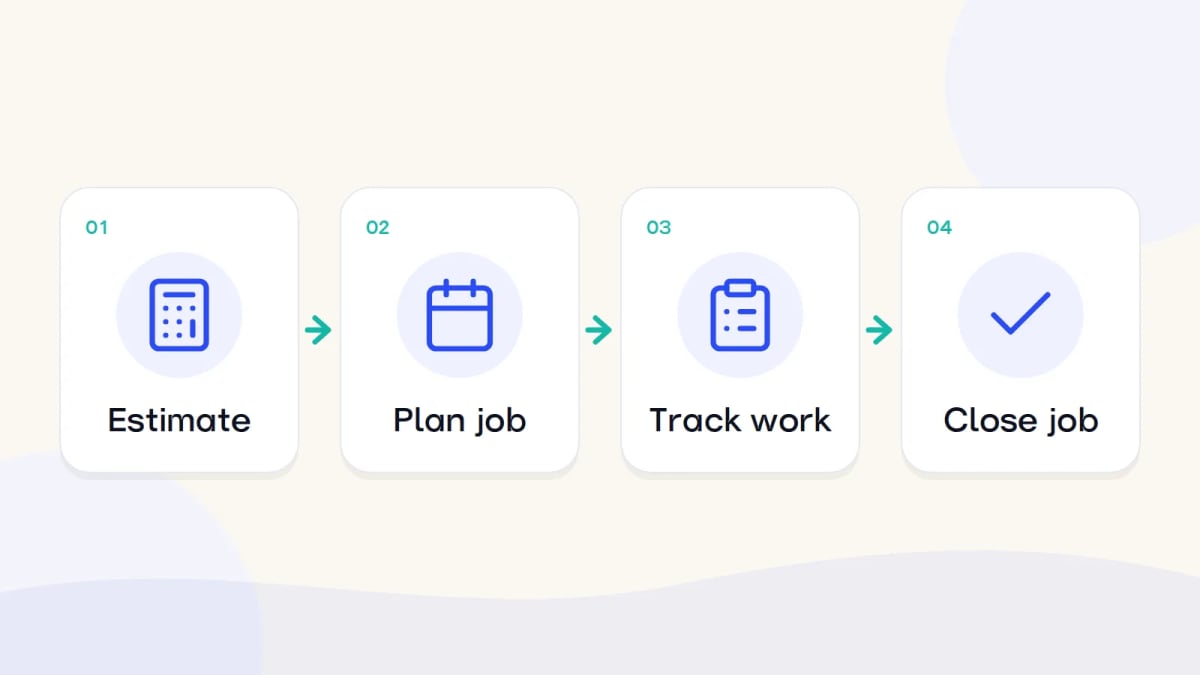
Custom software for steel and metal fabrication connects estimating, purchasing, production and dispatch when each department has its own version of a job. A customer signs off a frame, then sends a revised drawing. The estimator needs to see what changed, purchasing needs to know whether material is already committed and the planner needs to decide which work to hold. We build software around that handover so your team can act on the same revision and see what each decision changes.
The starting point is often a spreadsheet that does one part well. Keep the calculations people trust, identify where they re-enter information and define which job events must leave a record. A small fabricator may need a reviewed quote and a realistic view of material commitments before it needs a full production planning system.
Choose the right piece of the system
| Gap | Good starting scope | Record to agree first |
|---|---|---|
| Quote scope changes after acceptance | Change requests and revised estimates | Accepted estimate and drawing revision |
| Planners overcommit stock | Material reservations by live job | Quantity, unit and when stock is released |
| Outside processing slips | Batch handoff and expected return | Sent and received quantities |
| Owners discover overruns after invoicing | Estimate-versus-actual job view | Which labour and material entries count |
If your ERP already manages inventory and purchasing well, the custom build can cover the handoff between approved estimates and fabrication releases. Agree which system can edit stock or supplier information. Otherwise a correction in one screen can be overwritten on the next import.
Keep the accepted quote visible
Preserve the version the customer accepted, including drawing references, quantities, material allowances and any assumptions about finishing or delivery. A revised quote can reuse the relevant items while retaining a view of what changed. If the customer asks the team to proceed with only part of the revised scope, record that decision against the affected lines so the workshop can tell what is authorised.
On larger jobs, release the work in stages. A buyer may approve a first shipment while measurements for a later section are pending. Let planners see both sections under one job and give purchasing a clear marker for the material that can be committed. Keep the history of changes available to the team reconciling the final invoice.
Allocate stock in the units people use
A buyer might order sheet by weight, the storekeeper count sheets and an estimator use area. Agree the base units and the approved conversion rules with the people who maintain the item master. Specify how the system treats remnants. A leftover may have useful dimensions and a known location, or it may go directly to scrap. Capturing every offcut adds work, so decide with the storekeeper which pieces are worth tracking.
Separate physical stock from material reserved for a job. When a drawing changes, release unused quantities after the planner reviews anything already cut. If the same grade and size are held in two locations, record where the allocator expects to find them. When a customer asks for a material document, scope how the team links the document reference to the received batch and the affected job.
Track outside processing and rework
Coating, machining or finishing can take parts out of the workshop for several days. Create a handover with count, finish instruction and promised return. The receiving clerk can record that seventeen of twenty parts came back, with one damaged, so the system keeps three outstanding and exposes the fourth issue separately. A planner can then decide whether the current delivery date is still credible.
Record rework against the operation where it occurs. A rejected hole pattern can lead to more fitting time, fresh material or a supplier correction. Give the job owner a way to see which costs were captured and which remain estimated. Use the difference between quoted and recorded hours to review an estimating assumption, with the original quote preserved for reference.
Show what can start on Monday
A planning board should distinguish a job that has a promised date from a job ready for the next operation. Define readiness with the people scheduling the bays. A released drawing and reserved material might be enough for cutting. Fitting may also need a jig and parts from another batch. If an operation is moved, show affected downstream work without silently changing the date agreed with the customer. Give the planner a way to explain the exception in the shift handover.
Treat a drawing change as a production decision
When sales receives a revised drawing after the quote, the revision needs to reach purchasing and production with enough context to decide what to stop. Record the drawing revision accepted at order entry, the person who approved it and the date it took effect. A later revision should carry its own assessment. A planner can then see which pieces remain usable, which purchase orders must be changed and what the customer still needs to approve. Preserve the original quote and its assumptions so the business can explain the consequence of a change without relying on someone's inbox.
Decide where the revision has to appear. The planning view needs the revision attached to the job, the shop traveller needs it next to the operation and inspection needs it beside the check being recorded. When a workshop still prints drawings, have the team define who takes obsolete copies off the floor and how the replacement is acknowledged. Test a new drawing arriving after material was cut. A useful result is a visible hold on the affected job lines, an owner for the decision and a clear path for unaffected pieces to continue.
Give each operation a release condition
A production route can start with cut, drill, assemble, inspect and dispatch. Define the information the next person needs at each handover. For cutting, that may be allocated material and an approved cutting list. For assembly, it may be the set of pieces that have passed preparation and a current drawing. Dispatch may require a packed quantity and a signed inspection release. Write these conditions with operators and inspectors before automating them. Their choices determine where a job should stop and where a supervisor can approve a documented exception.
One order may contain ten assemblies that move at different speeds. Track progress against a piece or lot where that distinction affects delivery. A job-level completion figure can hide that the load planned for Thursday depends on three assemblies still awaiting inspection. A practical planner can open the delayed line, see its last accepted operation and find the owner. Give an operator a short list of jobs at their station, with the part identifier and planned quantity visible. Put planning fields somewhere operators can ignore during a busy shift.
Reconcile the estimate against the job
Choose estimates whose assumptions you can explain. A useful baseline separates expected material quantity, labour at each operation, outside processing and carriage. At handover, record the basis the estimator used, such as a stock length, a nest or a subcontractor's quotation. When production finishes, compare values in the same units and show quantities alongside cost. A cost variance can come from a changed supplier rate, a larger cut allowance or extra preparation hours. Those causes should be identifiable separately so the next quote improves.
Cutting several jobs from one purchased length adds another decision. Agree with finance whether to charge a stock item when it is issued, after actual use is reported or through a standard consumption figure followed by reconciliation. Decide when a reusable remnant goes back into available inventory and what identifying data it keeps. In a pilot, have stores make one issue, one return and one correction. Compare the job record with the stock ledger and the supervisor's understanding before applying the rule across all orders.
Plan one partial dispatch end to end
Start with an order that can ship in two loads, with one assembly on an inspection hold. The dispatch operator needs to see what the customer expects, what is ready and what is excluded from the next shipment. Ask the transport team which fields they need at collection, such as package count, piece identifiers or a delivery window. Keep any packing changes connected to the dispatched quantities. Finance can then verify the milestone used for invoicing without guessing why the order remains open.
Build an acceptance scenario around a missing item discovered after the first vehicle leaves. Identify who can change the second load, who contacts the customer and who authorises an exception if the outstanding assembly cannot ship that week. Review the resulting order view with sales, stores and dispatch. Each person should be able to answer how many units left, where the remaining units are and what next action has an owner. The software scope can name that outcome before anyone chooses an integration.
Roll out by proving an entire job
Choose a job family with an available supervisor and records from estimate through delivery. Run one completed job through the proposed screens to reveal missing fields and confusing statuses. Then pilot one live job beside the current process, agreeing in advance which record controls a release or dispatch during the trial. Make exceptions visible in the pilot results. An order that sails through every stage teaches less than one with a material shortfall, a revised drawing or an outside operation missed by the supplier.
Before adding another job family, review how many updates operators entered themselves and how many an office user had to reconstruct later. Walk an actual job from workstation to workstation and check what someone can learn without phoning the previous station. Agree which reports are needed on day one and shed fields that nobody reads. Once the team can plan, execute and reconcile a representative job with repeatable handovers, expand to the next route or connect the finance system.
Build around real job records
We review a completed job and a live revision with estimating, stores and dispatch. We then prototype the release board and one exception screen. A browser application can use Next.js with TypeScript, Node.js APIs and PostgreSQL. If an accounting link is useful, we test the supported import or API before promising which data can pass each way.
Run a pilot with a small group of current jobs. Reconcile material reservations and supplier returns against source records, practise restoring an accidental status change and agree how to close old jobs at cutover. The delivery plan includes a 50% advance to start and approvals for each milestone. Read the custom software development service for the broader build and handover scope.
Adjacent proof
Our HCB Engineering project is adjacent electrical contracting website work. It provides context for an engineering audience. The estimating, purchasing and fabrication controls on this page describe software we would design with your team.
What affects development scope
The main variables are approval rules, the condition of your material and customer records, accounting integration and how much history needs importing. Send an estimate and a dispatch sheet for the same job. Comparing those two records helps identify whether production needs its own workflow or whether a targeted release and reporting module would be enough.
Get a written quote
Bring a job where the customer changed the drawing after materials had been ordered. We can trace the affected handovers and agree which decisions belong in your fabrication workflow. Message us on WhatsApp at +91 73482 28167 and you get a fixed written quote within one working day.
Case studies
Adjacent work · another industry
HCB Engineering
Professional website for a government-licensed electrical contracting company with 20+ years of experience.
Read the HCB Engineering case study
Frequently asked questions
Do we need a new ERP for fabrication?
If your current system covers finance and inventory, keep those records there and assess the missing workflow first. A dedicated job release and revision tool can be scoped separately.
Can we import Excel estimates?
Yes, after agreeing how lines, units and drawing references map. Trial an import with an estimate containing a revision and an unusual material before moving the full list.
Can a job include several deliveries?
We can record planned delivery groups under the same order and let staff see which items were released, held or shipped for each group.
Can purchasing see jobs waiting for material?
Yes. Set which records are reliable enough to mark a material as reserved, ordered or received. A purchase entry and a physically received batch need separate statuses.
Will this show margin by job?
It can compare agreed estimates with actual entries your team supplies. Establish how shared labour, outsourced processing and rework are assigned before relying on the comparison.
Can the shop floor record updates on Android?
Yes. Our fabrication Android app page covers a mobile workflow for counts, inspections and dispatch.