

Which site app fits your firm
| Contractor type | What the project manager checks first | Features to start with |
|---|---|---|
| Fit-out or interiors contractor | Are snags logged by room with photos before handover? | Snag list by room, before-and-after photos, reinspection requests |
| Civil or building contractor | Does the site diary reach the office every day? | Daily diary, labour and delivery entries, hold-ups with reasons |
| Electrical or MEP contractor | Can installation progress be proved floor by floor? | Progress by floor and system, test records, delivery photos |
| Subcontractor working for main contractors | Can we show what we finished and when? | Completion records, signed acceptance, export for the main contractor |
| Contractor running several small sites | Which site is falling behind this week? | Site list with open items, supervisor rounds, weekly summary |
Pick the row that costs you most chasing today; the other features can follow once supervisors use the first release every shift.
Capture evidence as the work happens
Start with the location. Use the labels your crew recognises. A site might organise by building, level and unit. A refurbishment might identify rooms by a simple number on the plan. Once the supervisor chooses a work area, the app can carry it into each new photo or note until they move to the next area. Review the selected area before submission so evidence can be corrected while people still remember what they saw.
Keep the original report visible. A diary entry might include who was on site, what was delivered, what was held up and which work could go ahead. When an office reviewer requests a correction, we can keep the first submission and record who amended it. For a snag, preserve the photograph that raised it alongside the photograph showing the repair. That gives the reviewer a basis for deciding whether to close the item.
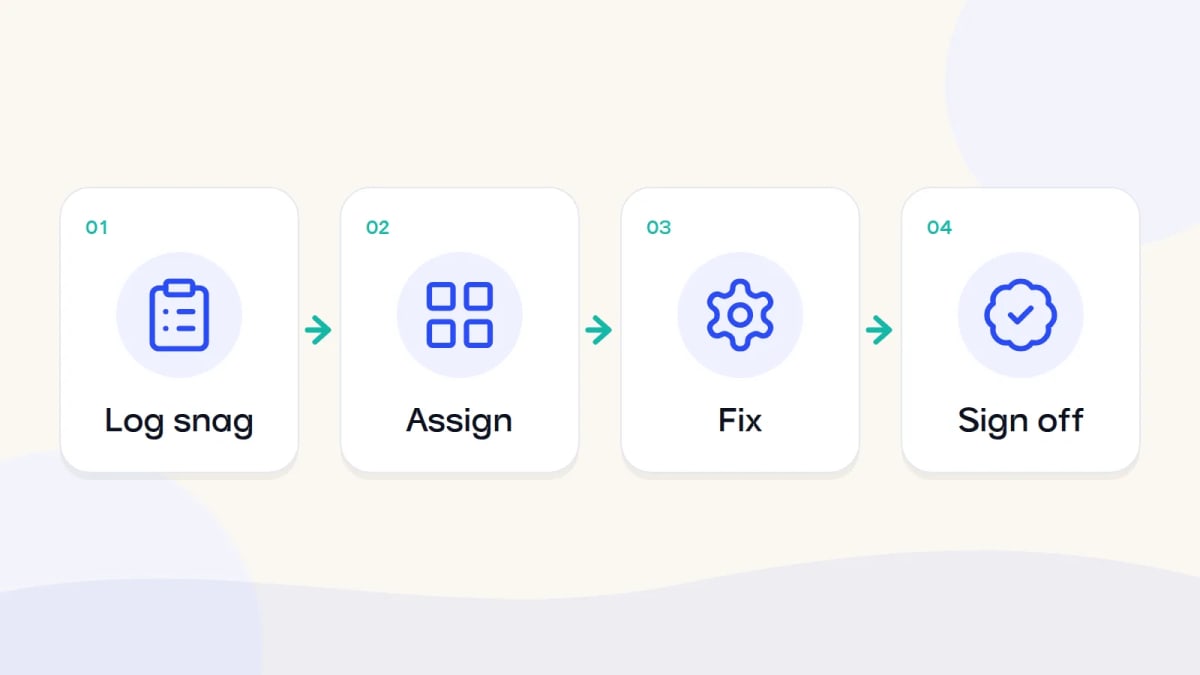
Make each assignment actionable. A defect needs the trade, location, a description and a person or team expected to respond. An assignee can report that an item is blocked and record the dependency. A supervisor can then distinguish between three separate situations: work waiting to start, work that needs a decision, and work ready for reinspection.
Choose where signatures fit. If delivery acceptance or a handover needs a sign-off, agree who may provide it and what the signature covers. A storekeeper checking package count may have a different responsibility from a site engineer accepting the installation. Each screen can show what the person is confirming and keep it with the underlying record.
Design for weak signal and shared devices
We agree which records must be available on the device before a shift. That might be today's locations, the open snag list and an entry form. A supervisor should be able to tell whether something is still on the phone, queued to upload or received by the office. For a large photo queue, the app can send smaller records first and retry the images separately, with status shown against each entry.
Where two people can report on one task, decide how their changes are reconciled. Independent observations can be appended in order. A change to the assigned trade or inspection status can go to the supervisor for review if the office updated the same record while the device was offline. We test these cases with two devices and a connection deliberately interrupted during the work.
If a device is shared, we agree how people authenticate and what stays locally visible between shifts. On a company device, a named sign-in can attribute the submission to the person on duty. We also decide how to handle cached records on phones taken off a project and where the site manager can check which reports are still waiting to upload.
Connect the site to the office
The app can connect to an existing project system through an agreed interface or use a backend and an office screen built for the project. Keep each system's responsibility clear. For example, an existing project register can supply work packages and staff permissions, while the app records observations and sends them back for review. This avoids asking site staff to copy the contract or job number from a different screen.
If your team needs a browser-based approvals and variation register as well, see custom software for construction contractors. For tender-facing material and project references, see website development for construction contractors and the construction industry page.
Build and release
We map a shift with a supervisor, prototype the capture screens and agree what the office needs to see. We build in Kotlin with Jetpack Compose and can use Room for records stored locally. The scope can include an API and supported notifications for assignments. We test photo capture, storage limits and an interrupted sync on the kinds of Android devices your team carries.
A pilot can follow one crew across a normal shift and a handover. We review what they could record quickly and which items the office still chased by phone. After approvals we prepare the Play Store release and agree who will manage access, updates and device changes. See our native Android development service for the wider delivery scope.
Decide what counts as a complete report
Before the pilot, give supervisors a short list of fields the office needs for each diary entry and explain the reason for each one. A photo alone might be enough to record an observation, while a request for reinspection may also need a location and the trade's account of what changed. Let the crew save a partial record during the round and show what remains before they submit it at the end of the shift.
Handle handovers between trades and shifts
A waterproofing snag can move through the site engineer, subcontractor supervisor and quality inspector before the next trade can start. At capture, record the floor, zone, room and drawing revision and let the engineer identify the affected activity. The subcontractor receives the defect description and reference photograph with a target date. On resubmission the inspector sees the original photograph beside the repair evidence and can accept the work or request a further correction with a reason. The original submission stays available for the next shift and for anyone reviewing recurring defects.
Specify who can accept each kind of evidence. A finishing supervisor may check whether paint touch-ups are complete. A formal hold point may need a named quality reviewer and an inspection record before downstream work can proceed. The site administrator should be able to transfer pending reviews when a supervisor changes shifts without changing the original assignee or approval history. A handover view can group pending items by location and due date so the incoming engineer can decide which ones to inspect on their first round.
Material deliveries need a different record. On arrival, capture the purchase order reference, supplier, unit of measure and accepted quantity against the relevant order line. Let the storekeeper put a delivery into partial acceptance when some pieces are damaged. Keep rejected quantities separate from usable stock and attach the supporting photo to the rejected portion. Where an order has several partial deliveries, the office should see the cumulative accepted quantity and the outstanding quantity before it authorises another purchase. A material workflow can launch later if the first pilot is confined to inspections.
Rehearse offline exceptions before the site pilot
Set up a test floor with ten defects and ask two engineers to work from separate phones in airplane mode. Have them attach several photographs and then change the status of the same defect. Bring one device online, interrupt its connection during upload, then bring the second device online. Both phones should eventually show which records and photographs arrived, which ones still need retry and whether updates conflict. An inspector should retain the ability to review both submissions when the suggested state differs from the server record. Test the exercise again after restarting each device with pending uploads.
On a busy site, supervisors may move from a shared Android phone to a personal one during a shift. Agree on the boundary for storing site photos and identifiers on each type of device. Test sign-out with pending work and decide when the site manager needs to resolve it before the phone is reissued. Before removing an account, check which inspections and snag reviews need a replacement owner. For pilot support, record app version, device model and sync state alongside issue reports so the team can reproduce the conditions without asking staff to send site photographs through unauthorised channels.
Define a fallback for records that need immediate action. A blocked concrete pour or unsafe condition needs the site's existing escalation route even if a phone has no signal. Keep a short instruction on the relevant workflow screen and allow the engineer to enter the eventual resolution when the device reconnects. The rollout review can use the pilot logs to decide which locations need better coverage, which approval queues need a second reviewer and which fields add time without helping a site decision.
For a team managing several sites, run the same defect on two projects with identical room numbers. Check that each supervisor sees only the correct project and that a shared equipment phone cannot carry yesterday’s project selection into a new submission. The receipt on the device should show the project and location before staff leave the work area.
What decides the cost
The scope moves with the number of roles (supervisor, trade, office reviewer, client), how much data must be on the device offline, photo volumes and storage, signature and approval steps, the number of projects and locations the app must handle, languages, and whether it connects to an existing project system or needs its own backend and office screen. We quote after seeing a real diary and snag list, and we do not publish prices.
Project evidence
We have no standalone app case study. Adjacent work includes the HCB Engineering website, where we built an electrical contractor’s public project gallery. The pilot is where you can see how the proposed app handles your own locations, permissions and shift reporting. We can use sample records and deliberately exercise the offline and review steps before crews use the app on a live job.
Get a written quote
Send an anonymised site diary, a typical snag and the photo sequence you expect from first report to verified repair. We can use those to define the capture and review screens. The project starts with a 50% advance, with milestone approvals for the field prototype and pilot build. Message us on WhatsApp at +91 73482 28167 and you get a fixed written quote within one working day.
Case studies
Adjacent work · another industry
HCB Engineering
Professional website for a government-licensed electrical contracting company with 20+ years of experience.
Read the HCB Engineering case study
Frequently asked questions
What if there is no signal for most of the shift?
We can prepare the required site data for offline use and queue new observations. We agree which actions need a server response, such as receiving a revised drawing or confirming the latest approval, and show the time at which the local data was last refreshed.
Can crews attach photographs to a particular room or snag?
Yes. The image can inherit the open record's location and item identifier. We can also allow a note with each attachment, so reviewers know which part of the photo to check.
Does it work for subcontractors?
We can scope access so each trade sees only assigned work and the context needed to respond. Decide who invites subcontractors and when their access ends. Review and closure can stay with a designated supervisor.
How do we handle drawings that change during a shift?
We can attach the drawing revision to a report and show the version loaded on the device. When a newer revision becomes available, the app can ask the supervisor to review records that were still in draft.
Is it available for iPhone?
This service covers native Android. Tell us during discovery and we will explain the options for iOS.
What affects the build scope?
Offline data, camera use, site access rules and the office connection each affect the scope. Bring an example of how an unresolved item moves between a trade and a site manager. That tells us more than the number of screens alone.