
Comparison · Website platforms · 2026
Webflow vs WordPress: which is better for your business website?
Choose Webflow for a design-led marketing site where you want one hosted platform and few plugins. Choose WordPress when you want a large plugin ecosystem, freedom to move hosts, or an online store on WooCommerce.
Webflow is a paid hosted platform, while WordPress software is free under the GPL and you pay for hosting, themes and plugins. Webflow prices come from its pricing page, checked on 2 November 2026.
Published · Updated · Get a written quote
Webflow and WordPress side by side
The right choice depends on who edits the site and what it has to do.
| Webflow | WordPress | |
|---|---|---|
| What it is | Hosted website platform | Open-source software you host |
| Software cost | Free Starter plan; paid site plans | Free under GPLv2 or later |
| Plan with CMS | From $25 a month, billed annually, with 20,000 CMS items | CMS included; hosting is separate |
| Extending it | Built-in tools and integrations | Large plugin and theme ecosystem |
| Ecommerce | Check Webflow's ecommerce plans | WooCommerce |
| Moving hosts | Runs on Webflow's plans | Can move between hosts |
What each one really costs
Webflow's cost is mostly its plan. WordPress looks free, but hosting, premium plugins, updates and security work are real costs, so budget for maintenance.
In both cases the larger cost is usually design, content and build time. Compare the whole quote, including who maintains the site after launch.
Editing the site day to day
Webflow separates building from editing. Designers lay out pages visually in the Designer, and content editors update text, images and CMS items in the Editor without being able to break the layout. That protects the design, but structural changes, such as a new section type, go back to whoever has Designer access.
WordPress editors work in the block editor, or in a page builder if the site uses one. They can do more on their own, including building new pages from blocks, and user roles such as Editor and Author control who can publish what. The trade-off is that the same freedom makes it easier to drift from the design over time.
SEO on each platform
Both can rank well. Webflow has meta titles and descriptions, an automatic sitemap, 301 redirects and clean output built in. WordPress gets the same through an SEO plugin such as Yoast or Rank Math, plus far more control over things like schema markup and URL structure.
What usually decides SEO is not the platform but page speed, content and site structure. A WordPress site weighed down by a heavy theme and dozens of plugins can be slower than a well-built Webflow site, and the reverse is just as true.
Security and upkeep
On Webflow, hosting, security patches and SSL are handled by the platform, so there are no plugins or server software to update. On WordPress, core, themes and plugins need regular updates, and outdated plugins are the most common way WordPress sites get compromised. A maintenance plan with tested updates and backups is part of the real cost of running WordPress.
If you ever want to leave
WordPress can be exported in full and moved to any host that runs PHP and MySQL, with its content, plugins and settings. Webflow lets you export a site's code on paid plans and its CMS collections as CSV files, but the exported code is static: the CMS, forms and hosting features stay on Webflow. Moving off Webflow therefore means rebuilding the site elsewhere, which is worth knowing before you start.
Questions to answer before you choose
Who will edit the site, and how much do you want them to be able to change? Do you need a store, a membership area or integrations a plugin would solve? Will you pay for maintenance, or do you want no updates to manage at all? And how important is being able to move the site to another host or developer later?
Our recommendation
For most content-led business sites, and for stores on a budget, we recommend WordPress. It gives you more options, and it is easier to find another developer later.
Choose Webflow for a smaller marketing site where design control matters most and your team wants to avoid plugin and server upkeep.
WordPress builds of ours
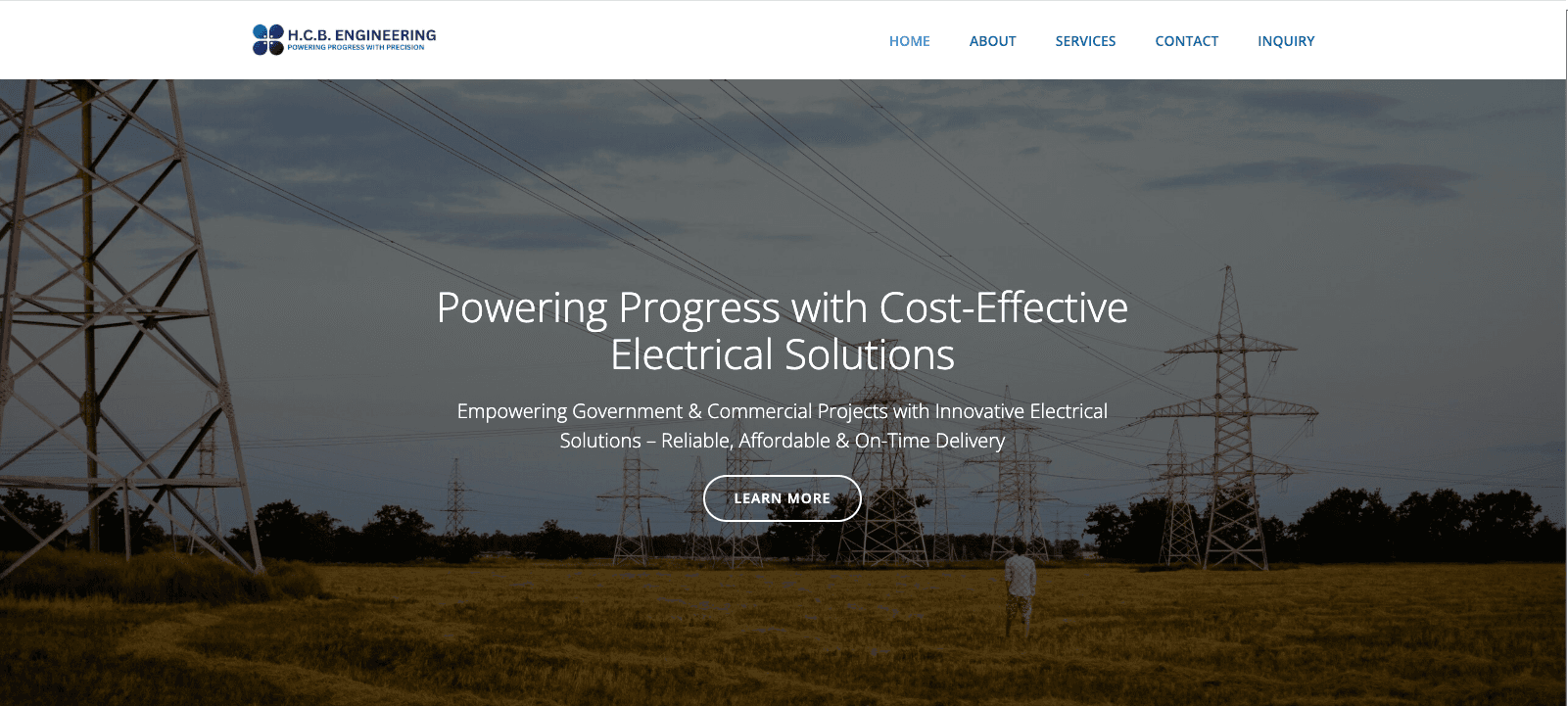
HCB Engineering
A corporate WordPress website with a service portfolio and contact form.
Read the HCB Engineering case study
Frequently asked questions
- Is Webflow better than WordPress?
- Webflow is often better for a design-led marketing site with few integrations. WordPress is usually better when you need plugins, WooCommerce or freedom to change hosts.
- Is WordPress really free?
- The software is free under the GPL, but you still pay for hosting and often for themes, plugins and maintenance.
- Can I move from WordPress to Webflow?
- Yes, but plan the URL mapping and redirects first so you protect your Google rankings.
- Is Webflow or WordPress better for SEO?
- Both can rank well. WordPress offers more control through SEO plugins, while Webflow has the essentials built in. Speed, content and structure matter more than the platform.
- Can I export my Webflow site and host it elsewhere?
- You can export the code on paid plans and CMS items as CSV, but the export is static. The CMS, forms and hosting features don't come with it.
Let's discuss your next project
We're here to listen. Book a meeting with our team to discuss your vision, explore possibilities, and start creating something.