

Which travel website fits your business
| Business type | What travellers check before enquiring | Pages or features to start with |
|---|---|---|
| Fixed-departure tour operator | Dates, seats left, what is included | Trip pages with a departure calendar, booking or seat request |
| Custom and family trip planner | Route, nights, hotel standard, flexibility | Sample itineraries, a trip-request form with dates and travellers |
| Pilgrimage or yatra specialist | Darshan or ritual timings, walking effort, support on the way | Day-by-day plans, fitness and age notes, family enquiry route |
| Trek or adventure operator | Difficulty, altitude, gear, safety, group size | Difficulty labels, kit lists, batch dates, leader information |
| School and corporate trip organiser | Safety, supervision, approvals, billing | Group programme pages, an organiser enquiry form, document list |
Many operators fit two rows. The site then needs two clear routes from the home page, one for fixed trips and one for planned trips.
Show what the traveller is agreeing to
Give each trip a page with the actual start and finish points, duration, typical group size and who the trip suits. Describe what happens on each day using enough detail to judge the pace. For example, an early transfer and a late arrival belong in the day's description even if neither makes for an attractive photo. For walking trips, spell out what guests need to carry and where transport is available, using information your guides have checked.
Keep inclusions and exclusions near the itinerary. If the operator supplies accommodation and a vehicle but meals vary by day, show that difference at the right point. If pickup is offered from selected locations, list them and say when a guest should contact the operator about a different meeting point. Put the cancellation terms near the enquiry or reservation action, where travellers are making a decision.
Mark a photograph with the location or activity it shows when that matters. If the accommodation shown is illustrative, use a caption that makes the distinction clear. We design the trip template around the information your team can maintain consistently throughout a season.
Separate departures from itineraries
The itinerary is the description of the experience. A departure adds a start date, booking status and any date-specific details. Keeping those records separate means your team can close one date without hiding the trip or editing every paragraph on the page. It also means a closed date can offer the next suitable departure instead of sending a visitor to a generic enquiry form.
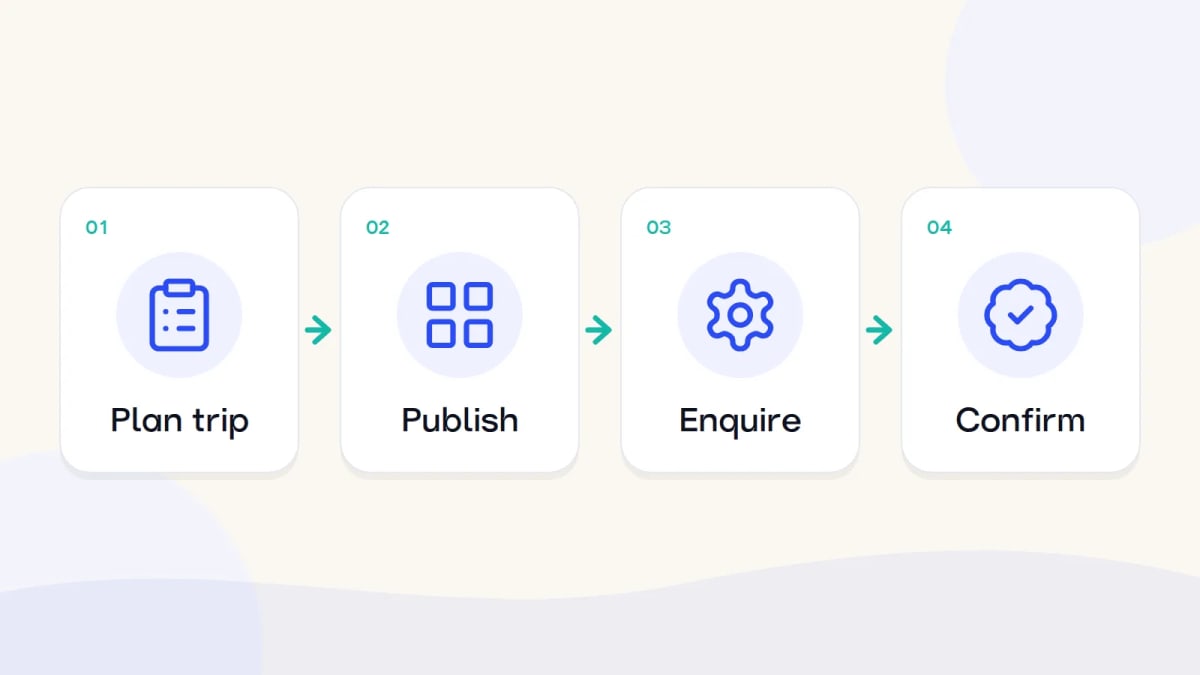
For bespoke trips, we can ask for a date range, group size, starting city and the changes the traveller wants. A request can carry the trip name and the visitor's selected variant automatically, so the agent starts the conversation with context. The acknowledgement should say whether the team received an enquiry or confirmed a reservation. If supplier confirmation still has to happen by phone, the site can reflect that workflow.
In discovery we agree who updates the calendar and which statuses they can publish. A guide might flag a date for review while an operations lead confirms the closure. A small team may only need a last-updated field and an editorial checklist. We scope bookings and availability around the process the team can reliably support.
Help visitors shortlist without opening every trip
Choose filters that affect the buying decision, such as starting city, trip length, activity level or fixed versus private dates. A category page for weekend trips can show driving time, pickup point and typical pace on each card. Visitors can compare practical details before opening a full itinerary. Filters should still work on a phone with one hand and leave a clear way to return to the full list.
A destination guide deserves a page when you can explain your local choices. It can describe the best starting point for your routes, when your own departures operate and which trips pair well for a longer visit. An agency offering a handful of tours usually has enough to work with through trip and destination pages. It can add another structure when the catalogue grows and the team can keep the information current.
The ranked plan also includes a traveller or staff Android app and custom software for tour operations. The website gives visitors the information they need to choose a trip and starts the enquiry or booking.
Build, review and handover
We begin with a representative fixed departure and a private enquiry if you offer both. The prototype follows each from browsing to acknowledgement. We can assess WordPress or Next.js against your editing needs and booking interface. We then design reusable layouts for trips and destinations, plus whatever content editing and booking connections the agreed scope calls for. If you have a live site, we map the old URLs to their closest new pages and review any forms or analytics your team depends on.
Before launch we test a full departure, a date that has changed, a private enquiry that needs a callback and a failed booking connection if one is in scope. We check how a long itinerary reads on a phone and how an editor corrects the pickup instructions. We hand over the templates with an example of how to add the next trip. Our website development service covers the broader design and delivery process.
Give the sales team an enquiry they can act on
A departure enquiry should carry the itinerary and departure identifiers even if the traveller arrives through a shared link or changes the date before submitting. Ask for party size, preferred departure date and a contact channel. Let the traveller add pickup preferences or accessibility needs in a short optional field. A route specialist can then start with the details already supplied and ask only the follow-up questions needed to quote. For privately organised trips, collect a date range and mark the request as a custom itinerary so it goes to the team that can price changes.
Agree on what happens after submission. Show the traveller which trip and dates they asked about, when they can expect a reply based on the operator's stated hours, and how to reach the team if their plans change. The office should get a notification and a copy of the enquiry in its queue. If delivery of the notification fails, the queue still holds the request. Protect against double clicks and retries so a family does not receive competing replies from two agents.
Test the operational cases using a real upcoming trip before the launch. Have one staff member move a departure from available to waitlist while another submits an enquiry through an older share link. The visitor should see the current status and be able to choose the waitlist or another departure. Ask a second staff member to change a pickup time and confirm the change appears on the itinerary, enquiry summary and any confirmation message the system generates. Check how a retired trip page points to a relevant live itinerary, especially if the old link is still in a brochure or a past email.
What decides the cost
The scope depends on the number of trips and how often they change, whether you need a departure calendar or only enquiries, whether we connect a booking system you already use, the number of languages, how much itinerary writing and editing we do, photo preparation, and how many people on your team will edit trips. We quote after seeing three sample trips, and we do not publish prices.
Adjacent work
For Cleanship, we built service and port pages and an enquiry flow that collects the vessel, port and work window. The relevant design decision for travel is to connect the visitor's location and timing to the request they send. Cleanship is a marine services project. For a different view of enquiry design, Lady Scooty Trainer uses a consultation form that carries location, experience and preferred time into a callback. That is adjacent booking work in mobility training.
Get a written quote
Tell us which trips run on fixed dates and which need a conversation before you can confirm them. We can scope both journeys from those examples and show what your team will be able to edit. Work starts with a 50% advance, and we agree milestone approvals for the trip layouts and enquiry or booking flow. Message us on WhatsApp at +91 73482 28167 and you get a fixed written quote within one working day.
Case studies
Adjacent work · another industry
Cleanship
Marine cleaning company registered in Ajman Free Zone — a Next.js site with a landing page for every service at every port it covers across the UAE, India, the Gulf and West Africa.
Read the Cleanship case studyAdjacent work · another industry
Lady Scooty Trainer
Booking platform for a women-only scooty training service across Delhi NCR — free-consultation funnel, course pages and CSR partnerships.
Read the Lady Scooty Trainer case study
Frequently asked questions
Can we start with enquiries and add bookings later?
Yes. We can give departures and trip variants their own records from the first build. An enquiry can then carry the same trip and date identifiers a future booking connection would use. We design the confirmation step around how you currently hold and release places.
What if another provider already handles our bookings?
Share the booking links, supported interface and sample confirmations during discovery. We can assess whether a clear handoff will serve travellers, or whether the booking provider gives us enough access to show availability on your site. We test the route from a specific trip to the provider's confirmation screen.
Can one itinerary have several pickup points?
Yes. We can list meeting points on the itinerary and tie specific choices to a departure when they vary. An acknowledgement can repeat what the traveller selected so the team can catch a mismatch before anyone sets out.
Can someone request a trip with different dates or a different route?
A private enquiry can carry the preferred dates and show which parts of the itinerary are open to change. We would agree which details the team needs to respond, such as group size, accommodation preference and the earliest departure time.
Can our operations team edit itineraries and availability?
We can design editing around the roles you already use. That could mean letting a coordinator update a meeting point while a second person reviews changes that affect bookings. The handover covers correcting a trip description and closing a date.
What affects the launch schedule?
The number of itinerary types, condition of the existing content and any booking connection are useful starting points. A first release can cover a well-documented subset of trips while the team prepares photographs and departure information for the others.
What should I send for a quote?
Send a sample itinerary, a departure your staff confirmed recently and the message a traveller receives after booking. Include any availability screen the team already uses. These show where the website ends and the booking desk takes over.