

Direct ordering that fits the kitchen
Ecommerce development for restaurants and cafes starts with the promise made at checkout. If a guest pays for four brunch orders at eleven, which branch prepares them, when can the runner collect them and who tells the guest if an item sells out? A storefront needs to make those choices as clearly as it displays the menu. We build direct ordering around how your team receives, prepares and hands over orders.
Start by watching a shift that already takes orders over the phone. Count the questions the cashier needs to ask before giving a pickup time. The useful checkout fields usually come from that conversation. A customer collecting lunch needs an arrival slot and a branch address. Someone ordering a cake for Saturday may need to choose a size, leave an inscription and agree to a cut-off for changes.
Choose the order the store should accept first
| Order type | Information the customer needs | What staff must be able to control |
|---|---|---|
| Same-day pickup | Branch, collection time and order reference | Orders per slot and a temporary pause |
| Local delivery | Address eligibility, estimated window and delivery charge | Delivery zones and branch coverage |
| Bakery pre-orders | Lead time, customisation choices and collection date | Date-specific capacity and change deadlines |
| Catering requests | Servings, occasion and handover details | Review queue and staff confirmation before booking |
A single branch can pilot with pickup. Launch one menu and a manageable set of slots, then compare the website's estimates with the actual handovers. A catering enquiry can stay separate from normal checkout when staff need to confirm availability or transport before accepting the work.
Design the menu around what the team can fulfil
Give each branch its own opening hours, schedule and item availability. Ask the customer to choose the location early so the menu and cart reflect the same kitchen. If they switch branches, recheck the basket and explain which selections have changed before taking payment. Staff should be able to pause only the branch or order mode affected by an outage.
Make modifier limits explicit. A meal deal might require one side and allow two optional extras. Show the changed total as customers choose, carry each selection through to the preparation ticket and keep the approved options on the order even if the menu is edited later. For ingredient or allergen information, agree who supplies and maintains the wording before launch. Give guests a way to ask the branch about a concern, especially where substitutions are possible.
Keep the menu readable on a phone with category navigation, short item names and useful photos. Show what's included in a combo and when a breakfast or lunch menu stops taking orders. Explain sold-out items on the menu, then validate availability again before checkout. The team should be able to mark an item unavailable during service and bring it back after prep catches up.
Manage capacity and handovers
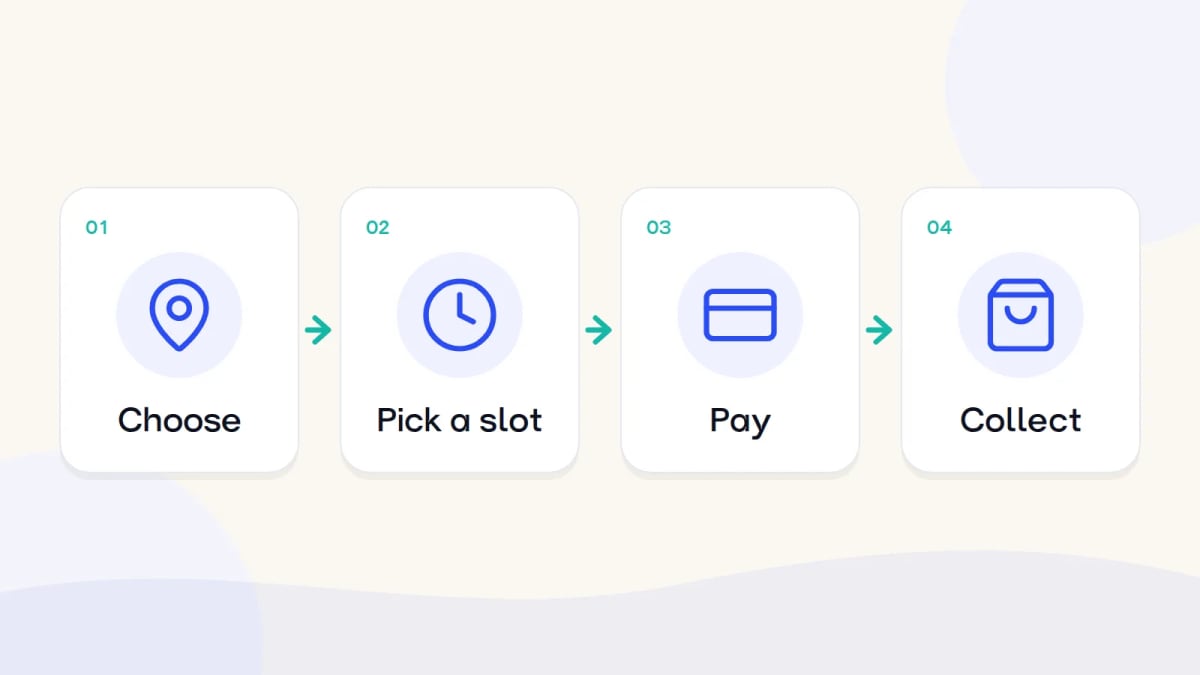
Working hours and order capacity tell the customer different things. The restaurant can be open at noon while its next pickup slot is already full. Set a limit for each interval and allow staff to close one when a large order ties up the line. Check that availability is still valid just before payment and decide what happens to a reserved slot if a customer abandons checkout. The policy should leave room for walk-ins where the same kitchen serves both channels.
Separate orders the kitchen has accepted from orders awaiting review. A paid order can still need attention after a branch closes unexpectedly. Give staff a view that shows payment, preparation and handover separately, with the order reference visible throughout. For pickup, share the location and arrival instructions in the confirmation. At the counter, staff can match the reference to a labelled bag and mark the order collected.
Payment, refunds and the till
Agree which system owns payments and where the staff member checks them. If checkout is interrupted after a debit, show the customer where to check the order and give the cashier a way to reconcile the payment before asking them to try again. One order reference should link the storefront, the payment record and any kitchen ticket. Use that same reference when staff approve a cancellation or refund.
We check whether your point of sale can accept online orders and return acknowledgement before including an integration. A small café can launch with a dedicated order screen and a clear owner per shift. A larger venue may need modifiers and branch identifiers mapped to the till. Test a ticket with multiple modifiers and a partial refund, then verify what appears in the shift reconciliation.
How we build the store
- Walk through an ordinary lunch order, a sold-out item and a late cancellation with the people who handle them.
- Prototype the menu, branch choice and order summary. Choose WooCommerce, Shopify or a custom store after testing the ordering rules against the platform.
- Configure availability and run test orders with kitchen and front-of-house staff. Include peak slots, payment interruptions and the recovery steps a supervisor can perform.
- Pilot with one branch or service window. Agree how staff take direct orders if the ordering screen is unavailable and who owns the first week's fixes.
The work starts with a 50% advance and proceeds through milestones you approve. See our ecommerce development service for the wider store scope.
Adjacent proof
Krushi Doctor is an adjacent WooCommerce project in agriculture. It shows our work on a structured product catalogue and a mobile-first buying experience. Restaurant capacity, kitchen tickets and branch-level fulfilment are separate requirements that we would scope with your team.
What shapes the quote
Share the branch count, a sample menu, the delivery or pickup rules and the till system you use. Tell us which orders need human approval and what a cashier must be able to change during a shift. Those details determine how much can be configured in the store and what needs custom development.
Get a written quote
Send us the menu from your busiest branch and describe what happens when a guest orders an item that's just sold out. Visit our restaurant and café overview for related services. Message us on WhatsApp at +91 73482 28167 and you get a fixed written quote within one working day.
Case studies
Adjacent work · another industry
Krushi Doctor
Agricultural guidance platform serving 1.2 lakh+ farmers with 100+ products and crop PDF guides.
Read the Krushi Doctor case study
Frequently asked questions
What makes a good restaurant ordering site?
A customer can see the right menu, get a credible pickup or delivery window and confirm how to collect the order. A supervisor can pause orders and deal with changes quickly during service.
How much does a restaurant ecommerce website cost?
Scope depends on branches, order types, integrations and menu complexity. A pickup menu with one counter is a different build from a multi-branch shop with delivery fees and till integration.
Can we switch off delivery during a rush?
Yes. We can make pickup and delivery separately controllable and show customers the modes that are available for the branch and time they selected.
Can guests order without an account?
Guest checkout can work well for occasional customers. Ask for the contact details required to confirm and hand over the order.
Can we accept party or cake orders?
Yes. Use a bookable collection date for standard options and a reviewed enquiry for requests the kitchen needs to assess first.
Can we keep our menus and reservations on the main site?
Yes. Your restaurant website can bring together locations, reservations and a clearly marked route to order online.