

What your visitors need from the site
Website development for freight forwarding makes a lane and mode enquiry usable by the desk that can assess it. A shipper landing on a forwarding site may know the origin and destination but still be deciding between air freight and an ocean service. Service pages should explain coverage, likely exceptions and the information needed for a quote. The request can then go to the correct forwarding desk with enough detail to make a follow-up useful.
Group services by the differences the shipper can act on: mode, common origins and destinations, whether pickup is in scope and whether a consignment needs special handling. Ask sales which lanes represent an actual service. Where a route needs partner confirmation, say how an enquiry is assessed before implying any availability.
Collect origin, destination, cargo readiness and dimensions only to the level the desk can handle. Some shippers have provisional dates and volume. Allow them to flag estimates instead of supplying invented precision. Give existing customers a separate shipment or support path to avoid sending tracking requests into sales.
Compare the main visitor routes
| Visitor or stage | What the website provides | Acceptance check |
|---|---|---|
| New shipper | Select mode and send an initial shipment brief | Estimated dates and measurements can be marked as provisional |
| Existing customer | Enter an authorised tracking or support route | Tracking identifiers stay out of public search and analytics URLs |
| Commercial desk | Receive lane, mode and contact details | Routing sends the request to a team that can assess that shipment |
Organise coverage around what a shipper can confirm
A port-to-port description, a door-to-door service and a coordination-only role describe different commercial arrangements. Put the service boundaries on the route page and show where to send an enquiry when a buyer has only partial addresses. If a forwarder works with another operator in certain locations, publish approved wording for what the forwarder actually handles. Give branch and sales owners a way to update contact information without rewriting lane copy. Test that a person looking for a nearby branch can still reach an appropriate desk if the shipment starts somewhere else.
Help the desk assess requests without guesswork
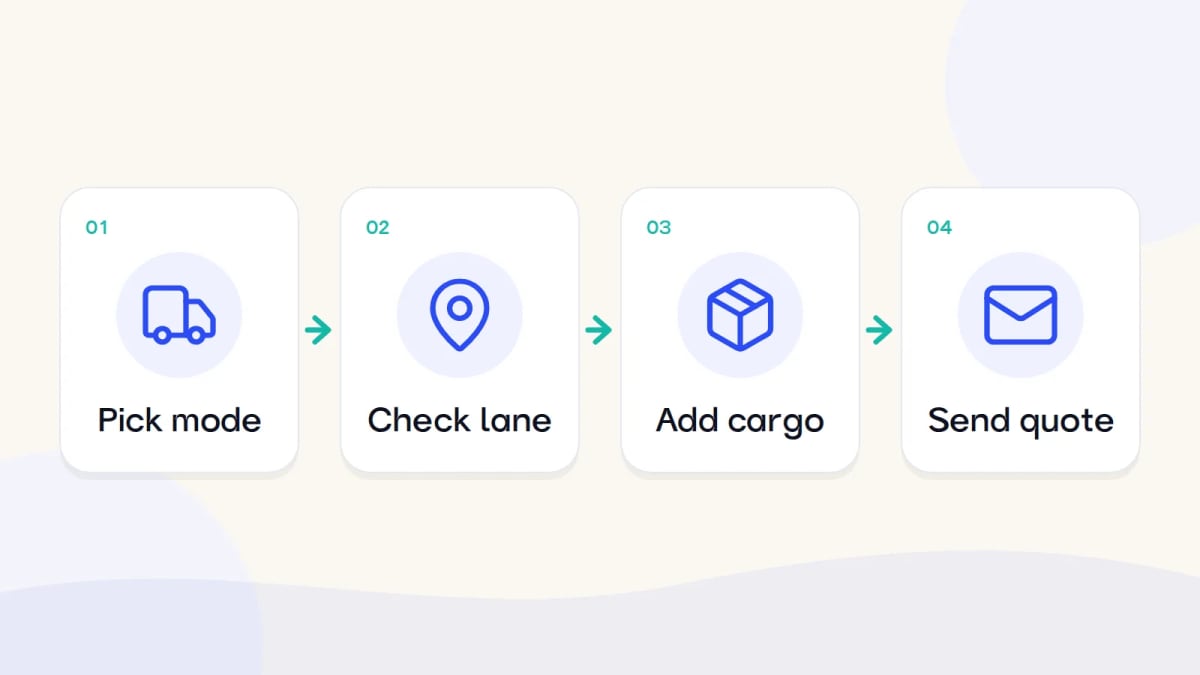
A form may ask for origin, destination, mode, approximate shipment size and readiness. Separate a date the buyer must meet from the earliest date a shipment can be collected. Keep options available for estimates and allow people to mark handling details for follow-up. Decide who fields requests with unusual cargo or a route outside the usual service. Give each enquiry a record staff can find when they call back. The confirmation should offer the appropriate service contact without implying that receipt of a form reserves space or confirms a schedule.
Define what a tracking link means
For an existing tracking portal, link to the correct authorised system and make its purpose visible before the user arrives. Agree with operations which events may be displayed if an integration is in scope. Received, booked and delivered may represent distinct steps owned by different systems. Lay out a fallback route when an event is missing, a last updated time is old or the shipment is shared across carriers. Check normal and failure states from the perspective of a customer who only has the reference printed in a dispatch message.
Test a quote form using realistic lane exceptions
Next.js can support a custom lane directory and a conditional request form where those features are needed. Start the website development scope with a mode page, a covered lane and an enquiry from an unlisted origin. Review the prototype with both a desk operator and someone unfamiliar with forwarding terminology. Before launch, map high-priority old route addresses, confirm who receives a failed or misdirected enquiry and test the site on mobile connections. If a partner tool is involved, agree access to a permitted test environment and document what happens when that service cannot respond.
Model a request with an incomplete schedule
Suppose a shipper has an origin, destination and approximate dimensions but is waiting for cargo readiness. The form can still route the request by desk, with date details recorded as provisional. If one leg may need a different mode, leave room for the shipper to explain that without working through a long technical questionnaire. Let the forwarding team decide which fields it will need before providing a quotation. Track whether the initial request contains enough to ask a useful follow-up, and check what the shipper sees when a route or service cannot be confirmed.
Decide when a route merits its own page
A destination page earns its place when it answers questions a general mode page would leave open. It could describe exactly which side of the journey the forwarding desk handles, identify a specific contact or explain the information needed for an unusual flow. Ask operations to check the page using a real shipment brief. Where multiple lanes have the same answers, consolidate the material into an accurate overview. Decide which existing links need to survive and assign responsibility for periodic lane checks. A route can still appear in an old search even after a desk has changed coverage.
Write fallbacks before adding partner services
Tracking, document exchange and booking frequently require interfaces that another team or provider controls. Define who is authorised to share shipment data and what to show when the site cannot fetch it. Let customers know where to go before they enter a shipment reference. Rehearse missing records and different information at different carrier legs. If the public site is only linking out, test the link from an existing confirmation or support route. Make sure a customer who started on the site can still find an appropriate contact without dealing with the quote desk.
Before the site goes live
Test a port pair you do not cover, a piece with unusual dimensions and a desk that is closed when a request comes in. Verify each branch destination. If the site connects to a tracking system, check what happens when the identifier is unknown, an update is delayed or the service is unavailable.
What decides the cost
Scope depends on how many distinct routes need content, which desks receive leads, whether tracking is a link or integration, and how clean the old URL inventory is.
A short commercial build may only need a few service pages and an enquiry handoff. Adding an actual lane directory involves maintaining origin, destination, mode and desk ownership as data. Compare those choices against actual enquiries. There is little value in publishing many near-identical pages that forwarding staff cannot keep accurate. Conversely, a small number of distinct routes with verified information can justify the extra work.
If tracking is included, write down whether the visitor follows an external link or whether the website has to retrieve events. Ask who handles different carriers, revisions and exceptions. Define the fallback operators want a shipper to see when the usual source cannot respond. This guards against commissioning a custom view before the company has reviewed what information it is authorised to expose.
Take pricing of the build from the decided scope and the effort of testing it with operations. Include requests that carry several pieces or uncertain readiness, and map any original URLs used in commercial emails. If the company also wants a new document exchange or a staff-facing quote tool, give it a separate set of requirements and owners. A forwarder's public quote journey can launch when public and operational handoffs have been approved, even if internal tools change in a later release.
Ask the quote desk to assess a sample from an unknown origin and another with a missing readiness date. Compare the follow-up time and information needed. Use these examples to set the boundary for conditional fields and exceptions in the agreed scope.
The 50% advance starts the agreed build. Review coverage information and the quote handoff at milestones with the desk that receives the submissions.
Adjacent proof from our work
Cleanship is an adjacent example. The marine services site shows where services operate and its enquiry asks for vessel, port and window. The transferable pattern is collecting location and timing up front while using fields suited to freight.
Request a quote
Send a route you handle often, an enquiry that went to the wrong desk and an example of the tracking view customers already use. Message us on WhatsApp at +91 73482 28167 and you get a fixed written quote within one working day.
Case studies
Adjacent work · another industry
Cleanship
Marine cleaning company registered in Ajman Free Zone — a Next.js site with a landing page for every service at every port it covers across the UAE, India, the Gulf and West Africa.
Read the Cleanship case study
Frequently asked questions
Can the site show live rates?
Only if you have an authorised feed and a clear definition of inclusions, exclusions and validity. Start with qualified requests if staff need to assess each shipment.
What do you need for an ocean freight form?
Start with origin and destination, cargo, readiness and contact. Add container or other details only where they change the next action.
Do we need landing pages for every lane?
Build them where there is distinct, verified commercial information. A single service page is clearer where several lanes share the same offer and routing.
Can customers track through the website?
Yes, by linking or integrating with the system you authorise. Review access and status semantics before exposing data.
Can we take customs documents in a contact form?
Use the approved document handling route. The general enquiry should explain how staff arrange a secure follow-up where needed.
Should we separate air and ocean quotes?
Use separate or conditional fields when the desk needs materially different data. Capture the buyer's mode preference without forcing a decision.
How do you handle oversize or specialist cargo?
Give it a clear escalation path. Let the buyer indicate unusual handling and have the authorised desk advise what details or documents it needs.