

Which app fits your school
| School type | What the owner checks first | Features to start with |
|---|---|---|
| Single-branch car school | Do instructors see today's lessons and pickups without calling the desk? | Instructor lesson list, pickup notes, lesson completion |
| Multi-branch school | Can a learner's progress move with them between branches and instructors? | Shared progress records, branch-aware schedules |
| Two-wheeler or women-only training | Do learners feel safe about who is coming and when? | Trainer name and arrival time, reminders, learner feedback |
| School with heavy weekend demand | Are no-shows and late changes falling? | Reminders, self-rescheduling rules, waiting list |
| School that also runs theory sessions | Do learners prepare between practical lessons? | Lesson notes, practice checklists, test-date reminders |
Most schools start with the instructor's view, because it removes the most phone calls in a working day.
Give instructors a clear lesson list
The instructor's screen can show the next lessons in time order, with course stage, pickup instructions and vehicle where relevant. We agree which contact details the instructor needs and when they are visible. A late change can show a confirmation request so the desk sees whether the affected instructor has acknowledged it. The learner can receive the revised plan separately.
Recording an outcome should take only a short interaction once the vehicle is parked. For a car lesson, the instructor might record practice on hill starts, mirror checks and reversing, then add a short focus for next time. A scooter instructor may use a different lesson checklist entirely. Keeping lesson stages editable allows a school to use its own curriculum without adding a phone screen for every exercise.
Separate attendance from progress. An attended lesson may cover only part of a planned exercise because of traffic or weather. Conversely, an instructor may need to record a missed session and ask the desk to decide whether it uses a lesson credit. We can keep these decisions visible as separate records so the next instructor can plan without making billing assumptions.
Give learners useful actions between lessons
A learner view can show the next appointment, meeting point, reminders and a record of earlier sessions. When the learner requests a change, show whether the school needs to accept it and what happens to the original appointment in the meantime. The confirmation should make clear which date and pickup the school currently expects.
Some schools assign the same instructor for a package. Others offer a choice of instructors or a vehicle type, such as automatic or manual. We map those choices before giving learners a booking screen. For example, a learner who needs an automatic should see only suitable options, and the confirmation should show whether both an instructor and a vehicle have been reserved.
A parent or sponsor may pay for lessons while the learner attends. If you want both to have access, we agree what each sees and how the learner's contact and progress details are shared. A first release can keep this simple by using separate messages for the booking contact and the person taking lessons.
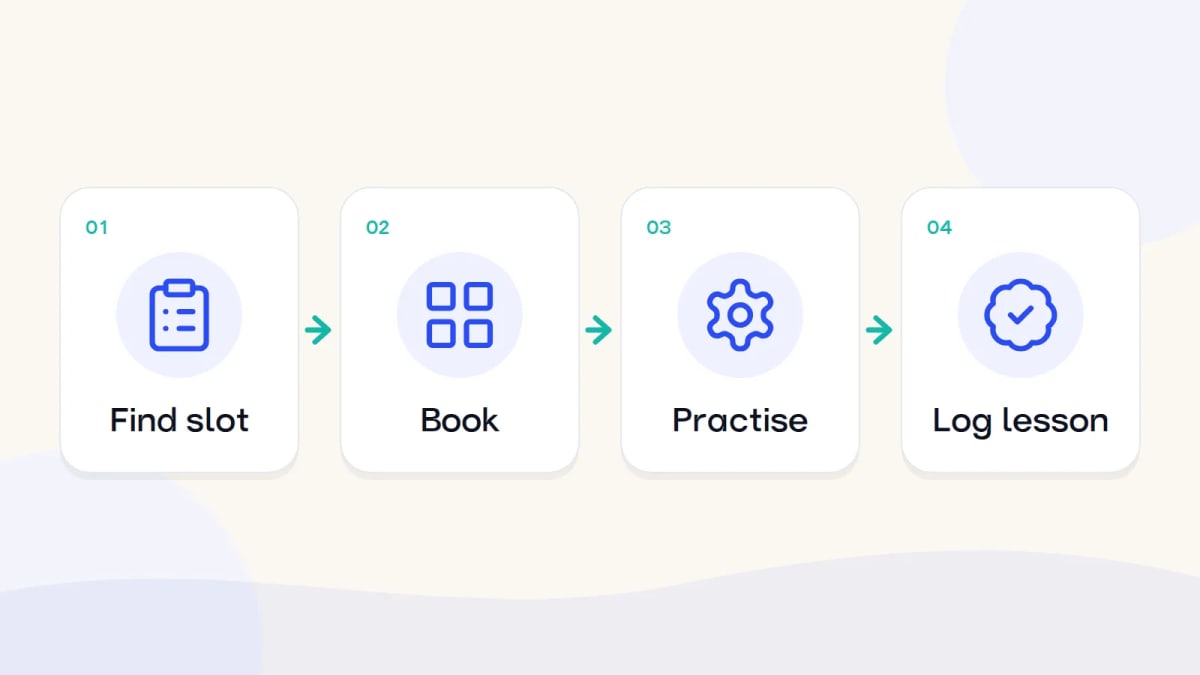
Plan for the gaps between the phone and the desk
The schedule needs a source of truth. If the office already uses a booking tool, we can assess its interface and decide whether the app can read from it, request changes or confirm a slot. With a new backend, we can verify availability again when a booking is submitted. This matters when two people try to claim the same evening lesson while the desk is also taking calls.
Offline use can be limited to the assigned lessons and drafts the instructor needs that day. When the instructor comes back online, the app can send the attendance and notes and show that they have arrived. We can design a visible review step if a lesson was cancelled at the desk while an instructor still had it open on the phone.
Prepare for a change of phone
An instructor might replace a handset in the middle of a course. The new device should show the next assigned lessons after sign-in and restore the records the desk already received. Agree a process for notes that were still on the old device, including who can recreate them from an instructor's account of the session. In a pilot, test lost access and a replacement device as well as the happy path. These cases help the desk prepare a short support guide for the people who will use the app between lessons.
Build, pilot and release
We start with one everyday booking and one difficult change, such as an instructor calling in sick when learners are already on their way. We design the instructor and learner screens around those events and test which messages actually need a notification. The build uses Kotlin and Jetpack Compose. We can scope local storage using Room, the API connection and push reminders as needed under our native Android app development service.
A pilot with one branch can test sign-in, the change of a lesson, a missed session and the end-of-day upload. After milestone review we prepare the Play Store release and agree who owns the listing and the support inbox. The driving school website page covers enrolment and public course descriptions. For dispatch, credits and branch reporting, see custom software for driving schools and the driving schools industry page.
What decides the cost
The scope depends on whether the first release is for instructors, learners or both, the scheduling rules it must respect, offline needs on the road, how reminders are sent, branch and instructor count, the number of languages, and whether it connects to the booking or office software you already use. We quote after seeing one week of your real schedule, and we do not publish prices.
Project evidence
We have no standalone app case study. Our work for Lady Scooty Trainer is a website for a women's scooter training service. Its consultation request gathers location, experience and preferred time. That training-sector project shows how early booking information can help a team match a learner to an instructor. The Android build would have its own prototype and acceptance tests.
Before release, check what instructors can read at a glance between appointments. A clear view of the next meeting point and any changed instruction is more useful in that moment than a dashboard of all lessons for the month.
Get a written quote
Send a sample lesson record and describe what the desk does when a learner needs an evening pickup changed. We can scope the instructor and learner actions from that example. A 50% advance starts the build, with milestone approvals for the booking prototype and Android pilot. Message us on WhatsApp at +91 73482 28167 and you get a fixed written quote within one working day.
Case studies
Adjacent work · another industry
Lady Scooty Trainer
Booking platform for a women-only scooty training service across Delhi NCR — free-consultation funnel, course pages and CSR partnerships.
Read the Lady Scooty Trainer case study
Frequently asked questions
Do both instructors and learners need the app?
No. If the main issue is instructors missing updates or recording progress after a shift ends, start with staff. Learners can still use the school's current enquiry or booking channel until the case for a learner app is clear.
Can learners reschedule their own lessons?
We can support automatic changes within agreed limits or send each request to the desk. Confirm who can release the original booking, what happens to the credit and which users get an update.
Could we keep lesson notes available without a connection?
We can scope offline drafts for instructor notes and daily assignments. The app should show which information was last downloaded and whether a draft has uploaded. Final availability checks still depend on the latest shared schedule.
Can we remind a learner without showing pickup details on the lock screen?
Yes. We can scope generic notification text and display the actual address or meeting point after the learner opens the app. Your staff can agree which appointment changes warrant an alert.
Can we have an iPhone version?
We build native Android under this service. If you need iOS, tell us during discovery and we will explain the options.
Can a learner switch instructors mid-course?
We can keep progress attached to the learner's enrolment, with access for authorised instructors. A replacement can see the completed exercises and the focus for the next lesson. The desk can also see who delivered each session.