

What your visitors need from the site
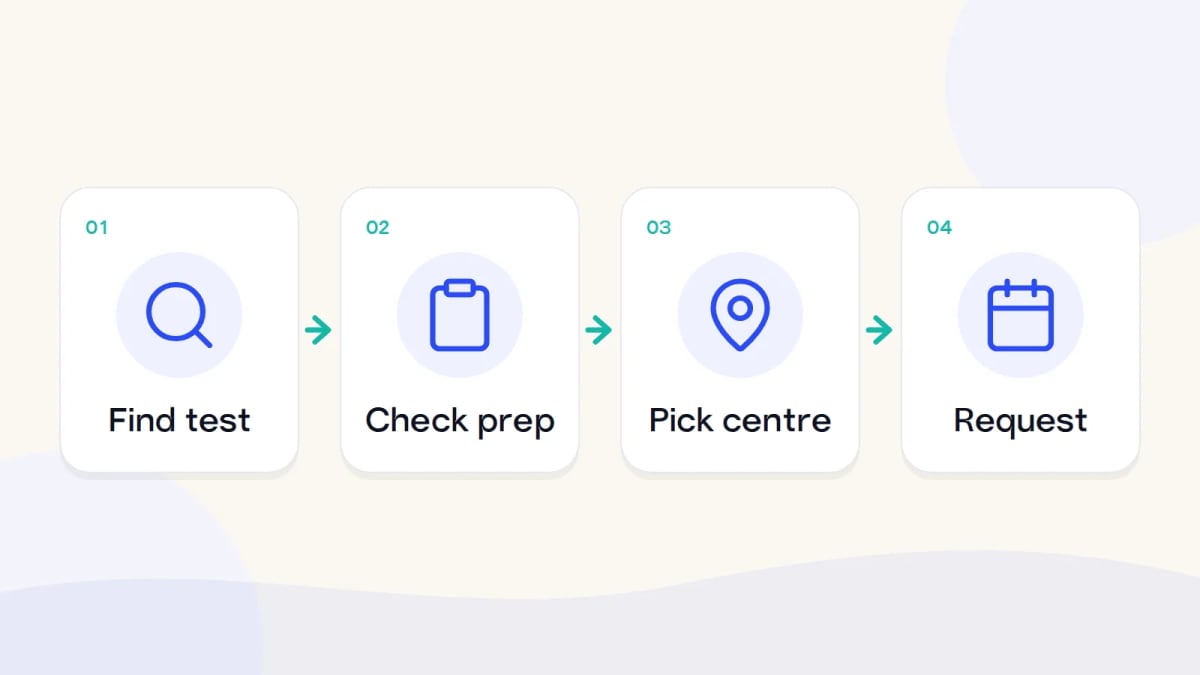
Website development for diagnostic labs should help patients find a test, prepare for it and identify the location that provides it. The public test directory is usually the first place a patient or referrer checks whether a particular branch can perform a test. One test can have several names and customers may arrive with a short code from a referral. Define a canonical name and approved aliases so the search can find it without suggesting that similarly named tests are interchangeable.
Give each reviewed test page an explicit specimen field, location availability, a publication owner and a review date. Where a lab publishes preparation information or turnaround ranges, the laboratory team must approve the language and explain exceptions. Treat collection hours, result turnaround and the time needed to arrange a home collection as three different fields.
Keep report access in the authorised patient system. A public page can explain how to enter the portal and who to contact if a report isn't visible. A new enquiry need not include an order number if the visitor is asking about coverage. Give collection coordinators a route to confirm a visit before the patient sees any promise about arrival.
Compare the main visitor routes
| Visitor or stage | What the website provides | Acceptance check |
|---|---|---|
| Test lookup | Search approved names and aliases | Ambiguous results show enough context to choose or call |
| Home sample collection | Check served areas and request a visit | Out-of-area requests get a branch alternative where available |
| Results access | Go to the approved portal or call for help | Public search, tracking and forms never expose report content |
Build a directory from data the lab can stand behind
Take a sample export before buying a website on the assumption that the directory is ready. Check how names, test codes and synonyms are stored, and whether specimen type, collection window and locations are present at the same level. The lab may use an internal test identifier that doesn't belong in the public name. Use identifiers for reliable mapping where approved, with patient-facing words reviewed by the lab. A search that returns similar tests should make their distinctions clear and offer the correct help route, especially where a patient cannot tell which one was requested.
Resolve what a branch can actually offer
A group may have collection centres, processing labs and sites that can only provide specific services. Use the correct terms for each location and put the contact path next to the relevant availability. Let branch owners flag temporary interruptions or collection cutoffs. Keep public announcements dated and give them an expiry or review owner. Take particular care with links shared in directions or appointment messages. If a site stops collecting a sample, advise staff which destination is now valid and test the update from regional pages and directory search.
Plan for downtime and delayed results
A public explanation can guide a patient when the usual report portal is temporarily unavailable without taking over authenticated access. Decide which help line or contact can respond and what the patient should have ready when speaking to authorised staff. Avoid putting personal identifiers in tracking links or confirmation subjects. Review the handoff with the laboratory and support owners together. They should be able to explain what happens when a patient has more than one report or a home collection is still awaiting confirmation, with messaging appropriate to each mode of contact.
Prototype the directory before importing it
Next.js is an option when the public directory needs custom search or several distinct content types. Agree field rules and prototype against representative entries before loading the catalogue. Include test names that collide, records that need multiple locations and entries that must remain unpublished. Agree the rollout and review milestones with the lab. For the website development service launch checklist, add a directory search on a modest phone and a check of the authorised portal link. If a catalogue feed is in scope, include a fallback for a missing or stale import.
Decide when to use a package page
A lab may market a bundle while maintaining individual entries for each component test. Give the package its own approved list of inclusions and explain locations and booking where they differ. Ask whether every item should independently link to the public directory, especially when an entry is useful only as part of a package. If a package is replaced, agree how staff will keep previous links useful. Support should be able to find the package version a patient saw without making public records of the details of their appointment. Test a package with at least one location restriction before approving the model.
Give each update an owner
Use a sample catalogue change to decide which edits the lab wants to make without a developer. Let the branch owner flag a change in collection hours while a qualified reviewer approves a change to patient instructions. Agree what happens if these updates are received out of sequence. A time-sensitive change should have a way to reach the public page promptly, with an expiry date if it is temporary. For a scheduled import, give the lab a way to tell whether the last update completed. Agree when to show a general availability message instead of displaying stale details.
Define how visitors recover after a failed lookup
A patient may search by a code copied from a message, a name used at a referring clinic or a spelling that matches neither entry. Offer a useful no-result state and a clear help route. Search suggestions can use reviewed alternatives; they should not tell someone which test to choose. Run directory checks with front-desk staff who know how patients speak. Check mobile display when a long test name wraps, and test whether a search result shows enough context to tell two similar records apart. Make lookup tests part of the sign-off when importing a new group of tests.
Before the site goes live
Test a misspelt abbreviation, a branch that collects but does not process a sample, a recurring holiday and an unavailable results portal. Have a lab reviewer confirm whether search results can accidentally show expired preparation notes. Check the booking receipt on a shared phone and agree what notification information is appropriate.
What decides the cost
Quoting hinges on catalogue cleanup, aliases, branch exceptions, portal handoff and the availability of a supported scheduling or catalogue interface. Budget review effort wherever sample instructions vary.
A directory with a small, stable list of tests might need a reviewed import and an editor. A network with thousands of records, several aliases per item and differing branch schedules can need a different search design and a routine for resolving conflicts. Review a sample with the lab, count the distinct data changes an operator needs to make, and identify what would have to be fixed upstream. This produces a more reliable scope than counting test URLs without checking their input.
For home collection, compare a page that describes coverage, a request routed to a coordinator and an integration that checks an actual schedule. Confirm which system owns times, who can confirm a visit and how a location outside coverage appears. If the chosen scope includes a link to results, note whether the lab uses one portal or several branch-specific entry points and who will update links after changes.
Budget for acceptance checks that the lab and its readers can perform. Give staff an entry to correct, ask them to find it by an approved alias and test how they would withdraw it temporarily. Then test the results support route independently. That gives the lab an opportunity to identify whether the real work lies in website design, preparing the data or coordinating the operational systems.
We begin after scope is agreed and the 50% advance is paid. Review the directory and the portal handoff at milestones with the owners of those services.
Adjacent proof from our work
Saurally Solar is an adjacent example. The catalogue uses filters to help visitors distinguish products with different specifications. The comparable design task is making a large public test directory searchable with approved terminology and useful distinctions.
Request a quote
Share a test export, two branch schedules and the current report access route. Include an example of a name patients use that differs from your catalogue wording. Message us on WhatsApp at +91 73482 28167 and you get a fixed written quote within one working day.
Case studies
Adjacent work · another industry
Saurally Solar
Renewable energy e-commerce platform with 40+ solar products, comparison tools, and multi-gateway payments.
Read the Saurally Solar case study
Frequently asked questions
Can we share report PDFs on the website?
Keep report documents within the approved access-controlled system. Give the public site a route into that system and an alternative contact if it is unavailable.
How can a patient check home collection coverage?
Ask for a postcode or area, then distinguish a service area result from a confirmed visit. Explain what coordinators need before giving a time.
Should every test be searchable?
Publish the approved tests from the current catalogue. Keep internal codes out of public labels unless your reviewer confirms those codes help patients or referrers.
Can the directory sync with the lab system?
An integration needs approved interfaces and a definition of which fields can be exposed. Review a sample export and define how to withdraw stale entries.
What if a collection centre has separate hours?
Give it a public page with separate opening and collection windows. The team that changes those hours needs a clear publishing route.
Do packages need their own pages?
Use structured pages where visitors need to compare inclusions. Make it easy to see which tests are included in each package and where it is offered.
What happens when a patient searches for an unavailable test?
Keep the response useful. Say that no active match was found, offer the lab's contact and avoid guessing which other test they meant.