
Many audiences, one front door
Website development for colleges is a problem of many audiences arriving at the same home page. A Class 12 student wants to know whether a programme exists and what it takes to get in. A parent wants fees, hostel and safety. A current student needs the examination timetable. A regulator, an accreditation team or a recruiter wants documents and data. A site that tries to greet all of them with a slideshow of the main building serves none of them well.
We build websites for colleges, autonomous institutions and universities, both private and government-aided. The structure starts from the tasks each audience comes to complete, and from the information the institution is expected to publish.
How to organise public disclosures
The University Grants Commission lists its 2024 public self-disclosure guidelines for higher education institutions. Plan an open disclosure section with search and an institutional review of the pages and documents it contains. The information institutions may disclose includes an overview of the institution, its governing Act and statutes, the institutional development plan, accreditation and ranking status, recognition and approvals, annual reports, the academic calendar, fee structure, hostel details and the admission prospectus.
For a website build, this decides three things. Disclosure pages must open without any login. The site needs a working search. And the documents have to be kept in a place where an administrator can replace them each year without breaking links. Your compliance team confirms the exact list for your institution against the current UGC text; we design the structure to hold it.
Pages that matter to each audience
| Audience | What they come for | What the site gives them |
|---|---|---|
| Prospective students | Programmes, eligibility, admission dates | Programme pages, an admissions section, an enquiry form |
| Parents | Fees, hostel, campus safety, placements | Fee structure, hostel details, campus life pages |
| Current students | Notices, timetables, results, forms | A notices section and links to the systems they log in to |
| Regulators and accreditation teams | Disclosures, reports, approvals | A public disclosure section with dated documents |
| Recruiters and alumni | Placement contacts, events | Placement cell page, alumni contact |
The home page then works as a set of clear routes rather than a news feed. Notices and events still appear, but below the routes most visitors need.
Programme pages that answer the real questions
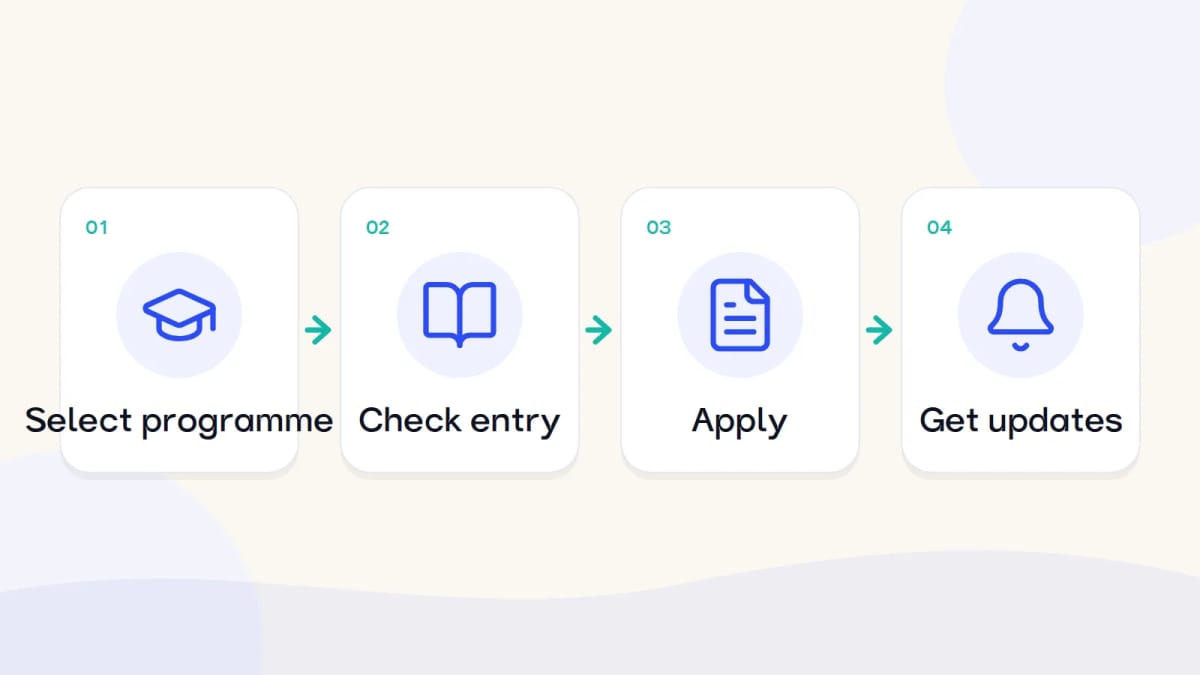
Each programme gets one page with the facts a student compares: the qualification awarded, duration, eligibility, intake if you publish it, the structure of the course by year or semester, the department and its faculty, and how to apply. Where the admission route depends on an entrance examination or a merit list, say which and link to the official source. Fees appear on the fee structure page and the programme page links to it, so there is one place to update each year.
Department pages carry the faculty list with qualifications and areas of work, and can link to research or publications where faculty maintain them. We build these as templates so each department can keep its own page current without asking a central web team for every change.
Admissions season without chaos
Traffic and questions peak in a few weeks each year. The admissions section brings dates, eligibility, the prospectus, the application link and a contact for queries into one place, with a short "what to do next" list for each stage. If applications run on a separate portal, the website links to it clearly and states which login a student needs. An enquiry form routes questions by programme to the admissions office, and a WhatsApp number can handle short questions where your office staffs it.
Notices, documents and keeping them current
Colleges publish a steady stream of circulars, timetables and results notices. We build a notices section with categories, dates and attachments, and an archive that keeps older notices findable without crowding the current ones. Documents for disclosure, such as annual reports or approval letters, sit in a structured library with the year and type recorded, so the search can find them and a replacement keeps the same page address.
Accessibility matters for a public institution. We use real text instead of scanned images wherever possible, add headings and alternative text, and check that the site works with keyboard navigation and at larger text sizes.
Verify an intake before applications open
Ask the admissions office to test each programme from a phone using the public route a student will see. Check what happens when an intake is full, when an application is open for one campus only, or when a deadline shifts after the prospectus is printed. On pages for more than one intake, put the intake year beside the application action and let editors close a route without removing the historic programme page. Give the admissions and examination teams separate contacts, so a request for a transcript does not enter the new applicant queue.
A pre-launch audit should also follow links from fee pages and later notice updates. A link to a portal landing page may work and still leave a student hunting for the right form. Record the destination, the intended audience and who owns updates to the link. Run the same test after a portal relaunch or a programme name change, and keep the old programme address redirected to its successor when appropriate.
Built for many editors
A college site usually has several people publishing: the admissions office, departments, the examination cell and the principal's office. WordPress with defined roles suits most institutions, so each office edits only its own sections and a web coordinator reviews changes. Next.js fits a university with a very large structure or custom integrations. The stack is stated in the quote, and our website development service describes the process.
The ranked plan also includes Android app development and custom software for institutions, such as a student notices app or an admissions workflow. The public website stays open to everyone and does not depend on either.
How the build runs
- Audit. We list current pages, documents and notices, and map who maintains each.
- Structure. We plan the audience routes, programme and department templates and the disclosure section.
- Design. Clear routes on the home page, readable programme pages and a fast mobile layout.
- Build and migration. Templates, roles, search and the document library, with old addresses redirected to their new pages.
- Testing and launch. Search, documents, forms, accessibility checks and a read-through by each office before launch.
What decides the cost
The number of programmes and departments, the volume of documents and notices to migrate, how many editor roles are needed, whether the site needs more than one language, links or integrations with admissions or examination systems, and how much content we write or edit. We quote after reviewing your current site and programme list. We do not publish prices.
Adjacent work
We have no college or university case study. For Tulsi Institute, a corporate accounts training institute, the site gives prospective students a session enquiry and gives employers separate student and certificate verification links. For NEXTmentor, a Next.js learning platform, every finished course gives the learner a serial-numbered certificate with its own public verification page. For Nagaland's Legal Metrology and Consumer Protection department, the WordPress site presents news, an officials' directory and district data for different audiences. All three are labelled adjacent.
Keep the mobile application route usable
Run an admissions test with slow mobile data and one hand free. Make sure the programme, campus and intake stay visible when the application portal opens, and indicate when it opens on a different domain. Publish key deadlines and requirements as readable page text so applicants can find them without loading a prospectus. Where the portal requires a desktop step, say so on the public page and identify the documents an applicant should prepare before beginning.
Ask the student helpdesk to test a missed deadline, an application link that is closed for maintenance, and a differently named course in the old prospectus. Each should give the applicant a way forward without relying on a social post or a generic enquiry inbox.
Get a written quote
Send us your programme list, your current site address and the name of each office that publishes content today. We will scope the structure, the disclosure section and the editor roles from that. Work starts with a 50% advance, with milestone approvals for the structure, the design and the migration. Message us on WhatsApp at +91 73482 28167 and you get a fixed written quote within one working day.
Case studies
Adjacent work · another industry
Tulsi Institute
The corporate accounts training site brings session enquiries, course navigation and verification links together.
Read the Tulsi Institute case studyAdjacent work · another industry
NEXTmentor
Next.js course platform for freelance skills — skill packs, verifiable certificates and a referral programme that pays learners commission.
Read the NEXTmentor case studyAdjacent work · another industry
Legal Metrology & Consumer Protection, Nagaland
The WordPress site for Nagaland’s Legal Metrology and Consumer Protection department presents news, an officials’ directory and district data.
Read the Legal Metrology & Consumer Protection, Nagaland case study
Frequently asked questions
What is the best website design for a college?
Programme pages, admissions information, fees, hostel details, notices, faculty, contact routes and the public disclosure documents your institution publishes.
Do disclosure pages need a login?
We build public disclosure sections that visitors can open without an account. Your institution reviews which records belong there and which need a secure access route.
Can each department update its own pages?
Yes. Editor roles let a department edit its pages while a coordinator reviews changes.
Can the site link to our admission or examination portal?
Yes. We link to it clearly and state which login students need. Deeper integration depends on what the portal supports.
How do we keep old notices without cluttering the site?
Notices move to a dated archive with categories, still searchable but out of the way.
Can the site be in Hindi as well as English?
Yes, if you can supply and maintain both versions. It affects scope and editing workflows.
Can you move content from our old website?
Yes. We audit it, move what is current and redirect old addresses so existing links keep working.